
Explore all FAQs here.

error
People's Choice App and Internet Banking now closed
To keep banking online, customers must switch to the People First Bank App and Online Banking. If you need a hand, follow the steps below or call our 24/7 team on 13 11 82.
Register in minutes
Make sure you have your member number handy and a secure password in mind.
Step 1. Get started
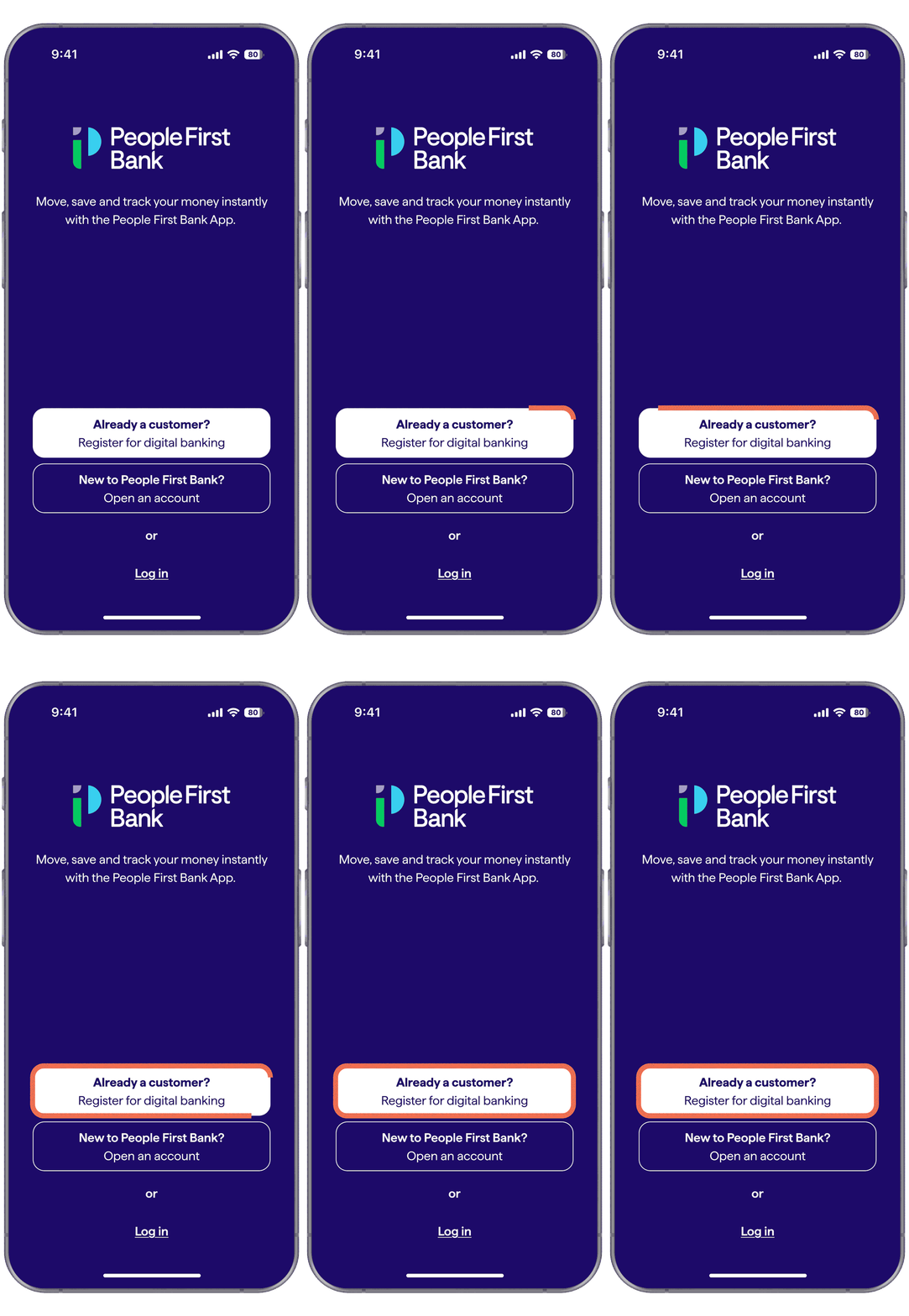
Download the People First Bank App or head to Online Banking. Our App is compatible with iPhone OS 15.0 and above, and Android 8.0 and above. Scan QR code below or tap Get the App to get started. Registering with a tablet? We recommend using Online Banking via your web browser.

Get the app
chevron_right
Important to know
The People’s Choice App and Internet Banking is now closed.
To continue banking online, you must register with People First Bank.
Have your member number handy
You can find this on your last statement, on the back of your People’s Choice card, or by calling us on 13 11 82.
An update to our BSB
You’ll notice our BSB has changed from 805-050 to 671-000. For now, there’s nothing you need to do as both BSBs will work. We’ll be in touch when it’s time to exclusively use the new one.
Who is People First Bank?
Welcome to a new era of customer-owned banking with People First Bank, we're happy you're here. Born from the merger of People’s Choice and Heritage Bank, People First Bank is backed by over 150 years of putting our customers first.
Sure, we've grown – but so has our commitment to supporting people and communities across Australia.
The good stuff
We’ve created a simple digital banking experience that gives you more control than ever. Watch this space, as more features will be dropping soon.
location_on
Simple navigation
Making banking easier with a simple app that simply works
phone_in_talk
24/7 support
Chat with our friendly team in our Customer Hub 24 hours a day, 7 days a week on 13 11 82
check
Two-factor authentication
Two-factor authentication and email notifications for higher-risk activities
security
Safe and secure
Strong anti-fraud measures and 24/7 payment and card monitoring.
my-cards
Card controls
Lock and unlock your cards instantly in the app if your card is lost or stolen.
email
Secure messaging
Securely message us in the app anytime for help with payment limits, travel notifications, help with your products and more
lock
Password resets
Securely reset your log in details anytime through the app
accounts
Digital Wallet
When you order a new card, start spending within 24 hours by adding it to your Digital Wallet
help
Need a hand?
We’ve put together a range of how-to guides and videos to help you settle into your new home of banking.

Your questions, answered.
Yes, the People's Choice App and Internet Banking has closed and is unavailable to use. To keep banking online, customers must switch to the People First Bank App and Online Banking.
Digital Banking is how we refer to both the People First Bank App and Online Banking. By registering for one, your new login credentials will give you access to both.
Yes – once you register once and create your login credentials, use this to access both the People First Bank App and Online Banking.
You’ll notice our BSB has changed from 805-050 to 671-000. For now, there’s nothing you need to do as both BSBs will work. We’ll be in touch when it’s time to exclusively use the new one.
Don’t worry - your saved payees, accounts, payment limits and scheduled payments will transfer automatically and securely to the new app for you.
No changes there – your member and account numbers will stay the same.
Absolutely! We remain 100% customer-owned and focused on serving you.
Yes – as the People First Bank App and Online Banking require all customers to register for the first time, even as an existing People’s Choice customer.
This means setting up new login credentials and security preferences, as your previous password won’t work. You can register in minutes by downloading the People First Bank App, clicking the ‘Already a customer? Register for Digital Banking’ button and following the prompts.
You can find this on your last statement, on the back of your People’s Choice card or by calling us on 13 11 82.
Changes to payment features
Visit Digital Banking for more FAQs and how-to guides on setting up payments.
At this time, international payments can no longer be made online. We’re still working on what this service looks like in future. In the meantime, our friendly team can help you make international payments in branch.
Access Tokens are no longer available. This service has been replaced with secure two-factor authentication, available in the People First Bank App and Online Banking.
As a customer-owned bank, we’re committed to investing in the services and products our customers use most. This means prioritising our focus toward the services that provide the greatest benefit to the most customers.
While some features won’t be available immediately in the new App and Online Banking, we’re working hard to introduce them as soon as possible.
Stay scam aware
Significant change like this can sometimes lead to an uptick in scam activity. To help protect you during this time, we've outlined some important information and tips for staying scam safe. You can also visit our Fraud and scams page to learn more and the Scamwatch website for resources to help protect yourself.
Need some help? We've got you covered.
Get in touch with us and we can help you get the answers you need.
help
Help and support
Access forms, brochures, support articles, FAQs and more below.
lock
Message us securely
Log into Digital Banking to send us a secure message by clicking the link below, or by using your People First Bank App.
